Text and ideas / PRACTICAL GUIDE
ChatGPT: reply to an unhappy customer without overpromising
Work through a reply about a delayed delivery: what to say, which promises you cannot make yet, and how to check the draft against the order details.

The customer needs an answer about their order
A customer writes that their order has not arrived, the promised delivery date has passed, and they want their money back. Asking ChatGPT to “reply politely” may produce a polished message with a new delivery date or a refund that has supposedly been processed. If you do not have those facts, you cannot send that message.
Check the order first, then ask for a draft that stays within what you know and are authorized to offer. A delayed delivery provides a useful example: acknowledge the problem, explain what is known, and name the next step without deciding on behalf of the carrier or your manager.
Check the status and your authority first
Open the order details and the latest enquiry sent to the carrier. Note when you checked them. A status of “handed over for delivery” does not mean the parcel will arrive tomorrow, and sending an enquiry to the carrier is not the same as receiving a reply.
A short brief is enough for the draft. Record the customer’s request, confirmed facts, missing information, and permitted action separately. The last item must reflect your actual authority. If you can only refer a refund request to a manager, do not replace that with a promise to return the money.
In our example, the order has been handed to the carrier, an enquiry about the delay has been sent, and no reply has arrived yet. No new delivery date has been confirmed. The staff member can offer to refer the refund request to a manager; a refund decision has not yet been made. These are the example’s starting conditions, against which every sentence in the proposed reply can be checked.
Give ChatGPT the facts and the limits of the reply
State why you are writing, which information has been checked, and what you are allowed to offer. Identify gaps separately: they must not be filled with guesses. The prompt below keeps these parts distinct and puts questions for the staff member outside the customer’s message.
The short prompt below already contains a filled example. For your own case, replace the customer’s message and the order details. Do not leave the sample facts alongside the real ones: the model should not have to choose between two stories.
EXAMPLE PROMPT
Draft a calm reply to the customer in up to 100 words. Use only the details below. Briefly acknowledge the problem, explain what is known, and offer the permitted step. Do not invent a delay cause, a new delivery date, a refund, or a discount. Do not present an action as completed if it can only be offered. Do not argue with the customer. After the reply, separately list what the staff member needs to clarify.

Customer: “My order did not arrive by the promised date. I want my money back.”
Facts: the order was handed to the carrier; an enquiry about the delay was sent; no reply yet. The new delivery date is unknown.
Permitted: offer to refer the refund request to a manager. No refund decision has been made.
Use anonymized text
This request does not need an order screenshot, the whole conversation, or the customer’s contact details. Remove their surname, phone number, address, payment details, and tracking number. If you need to distinguish several cases, use arbitrary labels that are not linked to anyone. Keep the meaning of the request and any wording that affects the reply.
YT·DOT uses WebVisor session recording: the contents of the prompt field may appear in a session recording. Do not paste information you are not allowed to share. The same rule applies to text you later send to an external service.
To prepare the draft, you can open ChatGPT on YesAI and paste your prompt. This guide uses text only; uploading documents is unnecessary. You check the order details yourself and include them in the prompt: describing the situation does not give the model access to your order management system.
The YT·DOT form sends the prompt you enter to YesAI. Its submit button may immediately start processing and spend coins. You do not need to send a request to read this article or check your brief.
Check every promise against the brief
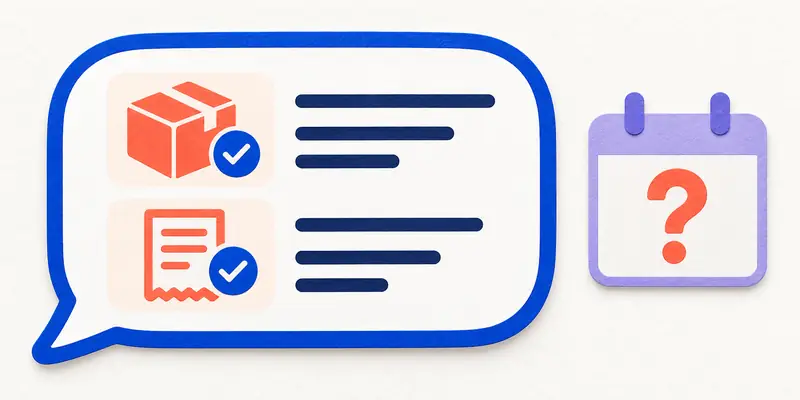
Read the draft alongside the original brief. Every claim should have a clear basis and status. Pay particular attention to verbs: “we have sent an enquiry” describes a completed action, “we can offer to refer this” describes a possible next step, and “we have processed a refund” announces a decision that has not been made in this example.
“Your parcel will arrive tomorrow” adds a delivery date we do not know. “The carrier has lost your order” invents a cause. “Your refund has already been approved” changes the status of the request. All three can sound convincing, but none follows from our brief.
When the date is unknown, a clear sentence is appropriate: “A new delivery date has not yet been confirmed. We have already sent an enquiry to the carrier.” It states the specific situation. There is no need to add “we will sort everything out soon” without evidence to support that promise.
Check the customer’s request as well. If they want a refund, a message that only discusses locating the parcel leaves their request unanswered. In our example, you can offer to refer the request to a manager while keeping its status unresolved. That is neither a processed refund nor a refusal.
Correct the substance before adjusting the tone
If ChatGPT adds a new date, remove that date first. Asking it to “make this softer” may leave the same unconfirmed date in a more courteous sentence. Give the model the disputed sentence, the relevant facts, and the precise scope of the correction.
The correction prompt below suits our example. In a new task, include the original brief and the full draft: do not rely on another chat’s memory. Read the entire message again after the edit, as adjacent sentences may have changed.
EXAMPLE PROMPT
The brief and draft are below. Correct the draft using the brief. Remove the unconfirmed delivery date and refund promise. Keep the confirmed facts and the customer’s request. Do not describe an offer to refer the request to a manager as an action already taken. If information is missing, put the question for the staff member separately from the message. Do not add a new deadline, compensation, or cause for the delay.

BRIEF:
{brief}

DRAFT:
{draft}
Check the message against the current order before sending
The status may have changed while you were editing. Open the order and the enquiry to the carrier again. If a delivery date or refund decision has now been confirmed, add it to the brief and update the affected sentence. Keep the original draft and the approved message separately.
The staff member replying to the customer makes the final check. ChatGPT checking its own answer confirms neither the parcel’s status nor your authority to offer compensation. Send the message through your usual work channel after this review.
- The customer’s request is represented accurately; a refund question has not been replaced with a general delivery update.
- Dates, causes of delay, and staff actions are supported by current information.
- A proposed next step is not presented as a completed action or an approved decision.
- The reply contains no internal model notes or questions meant for a staff member.
- The reply names a real next step that you are authorized to offer and can carry out.